

Project Goals
Understand Brivo One’s user base
Define reusable design components
Establish guidelines and patterns for both designers and engineers
Standardize Brivo products
👩🏻💻 My Role
Product Designer & Researcher
🎨 What I Did
Brivo Product Personas, Icon Library , Error Messaging, A11y Audit (WCAG)
📅 Timeframe
February 2022 - February 2025
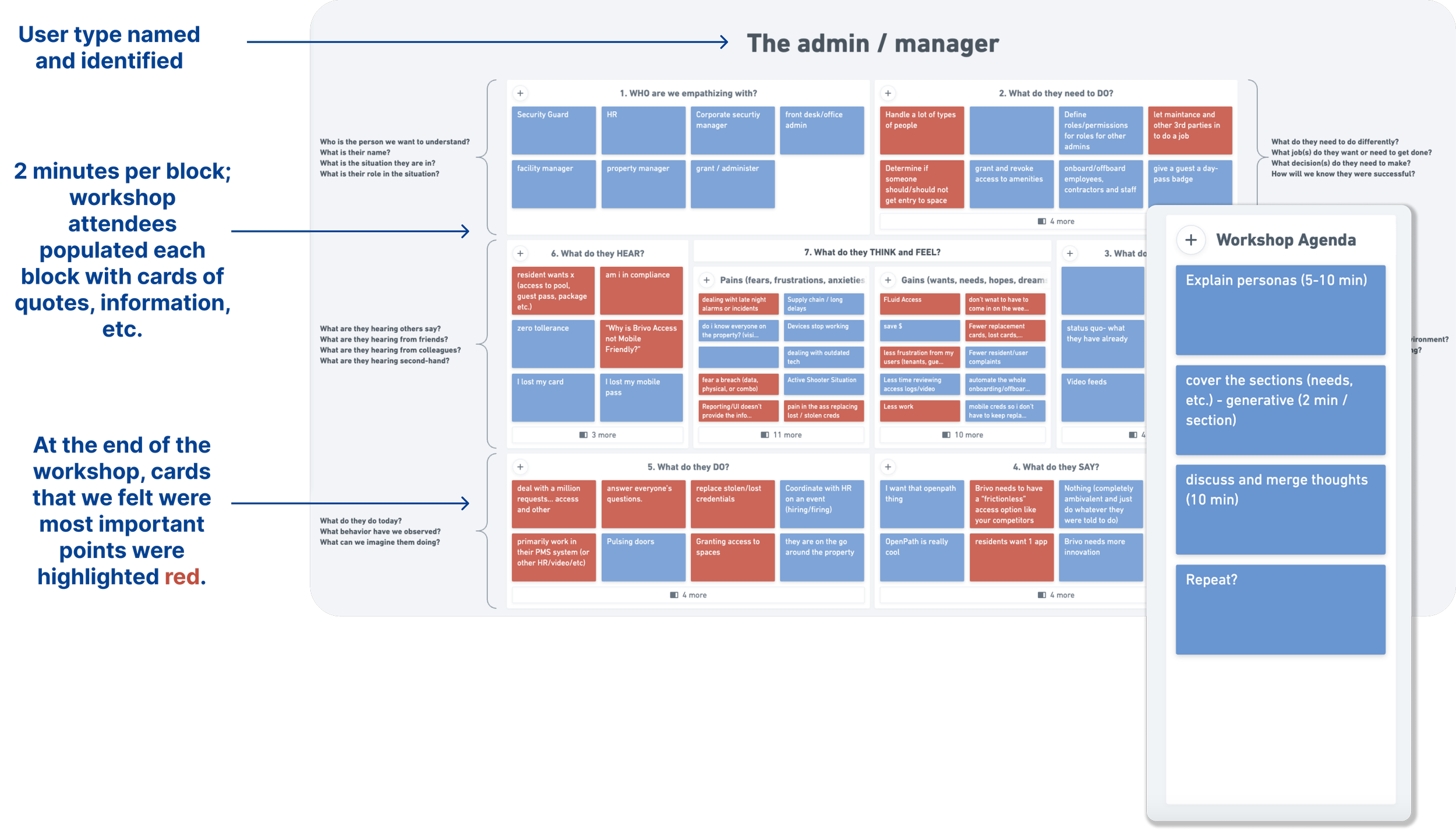
Brivo Persona Workshop
I asked product owners and engineers at Brivo to collect all the information they had on their product’s user base. Quotes, feedback, reviews, and other materials were gathered and used throughout the workshop.
I created an agenda for the workshop, where personas were explained, a walk-through of what the workshop would entail, and the workshop began. At the end, the most important blocks of information were highlighted and discussed.
Brivo One’s icon library was inconsistent. I did an analysis to compare all of our icons used on the platform and identified line inconsistencies, style inconsistencies, and any that were too complex to understand/irrelevant.
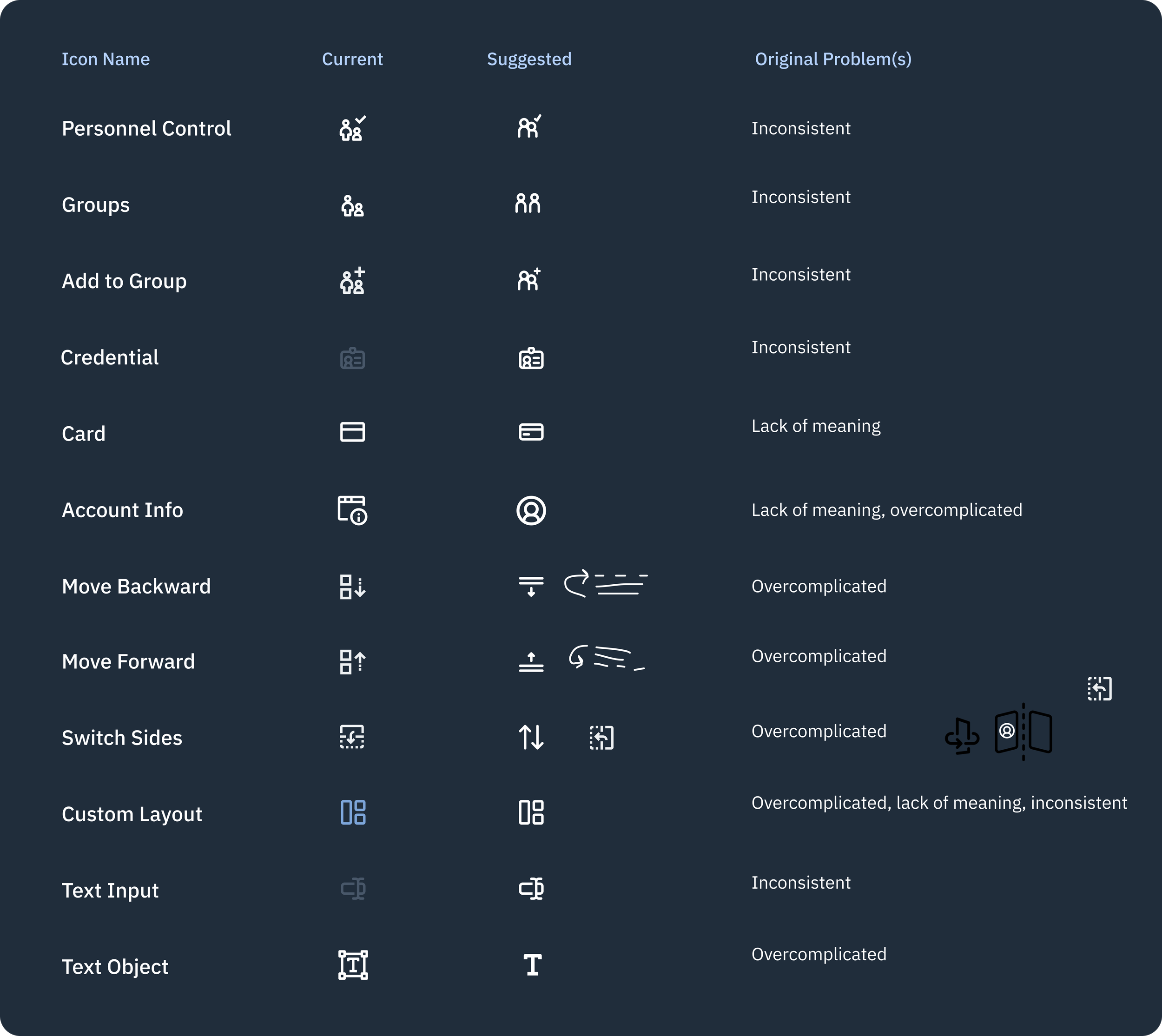
Brivo Icon Library: An Audit
After consolidating these icons and removing any that did not follow our new standards, the new icons and replacements were added to Brivo One.
In order for engineering to keep track of and be notified of these changes, a green circle was placed next to each replacement icon. (This was before Dev Mode came out! 🙂)
They were made into reusable components, with a light and dark theme, along with three to six sizes as appropriate per platform or product.
Error Messaging & Copy Writing
Some of our design team values include ease of use, consistency, clarity, and trust. This includes making sure that our users never feel like they’re at fault using our products. Prior to this project, Brivo’s error messaging felt inconsistent and did little to guide the user in the right direction. Thus, as part of Brivo One’s revamp, we needed to revise these messages to match our values and standards.
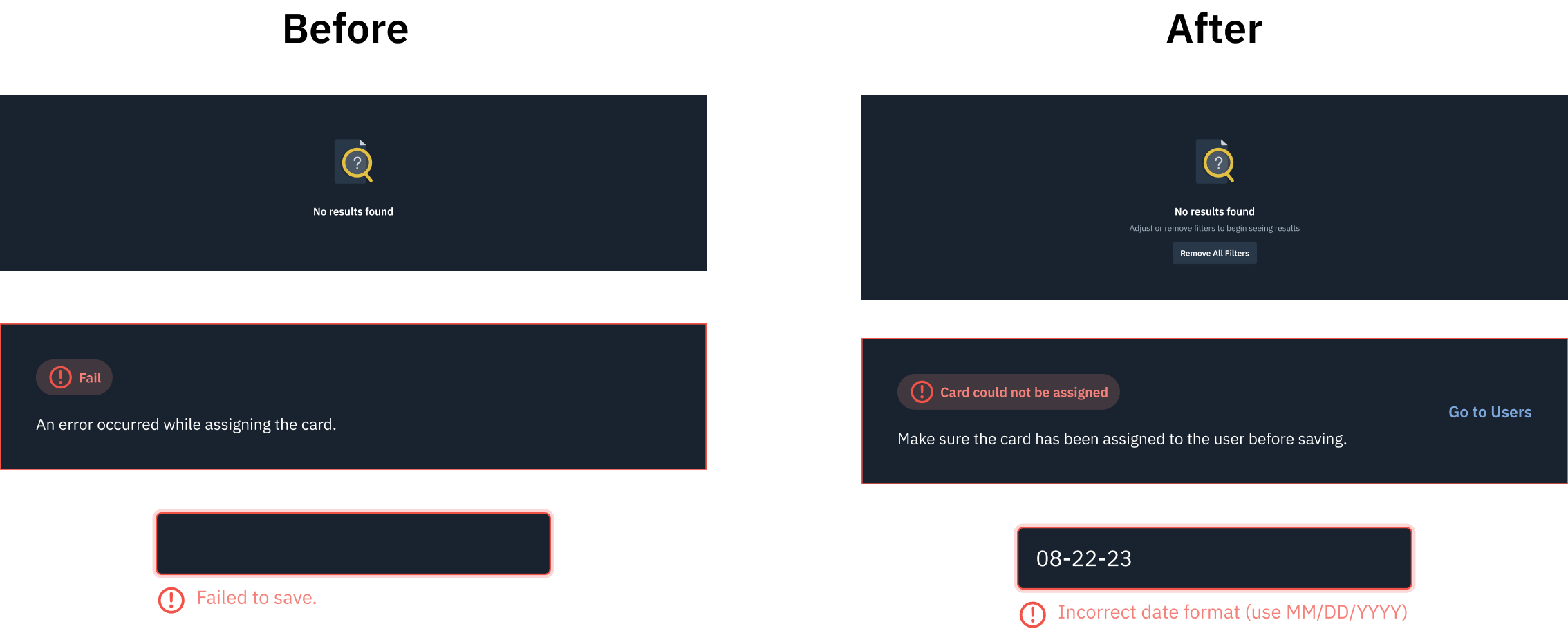
Updates to Brivo One
After all messaging was analyzed, rewritten, and redesigned, it was time to integrate these changes into Brivo One for designers and engineers to refer to. As a general guideline, do’s and don’ts were established in cases where a newer error message may need to be written.
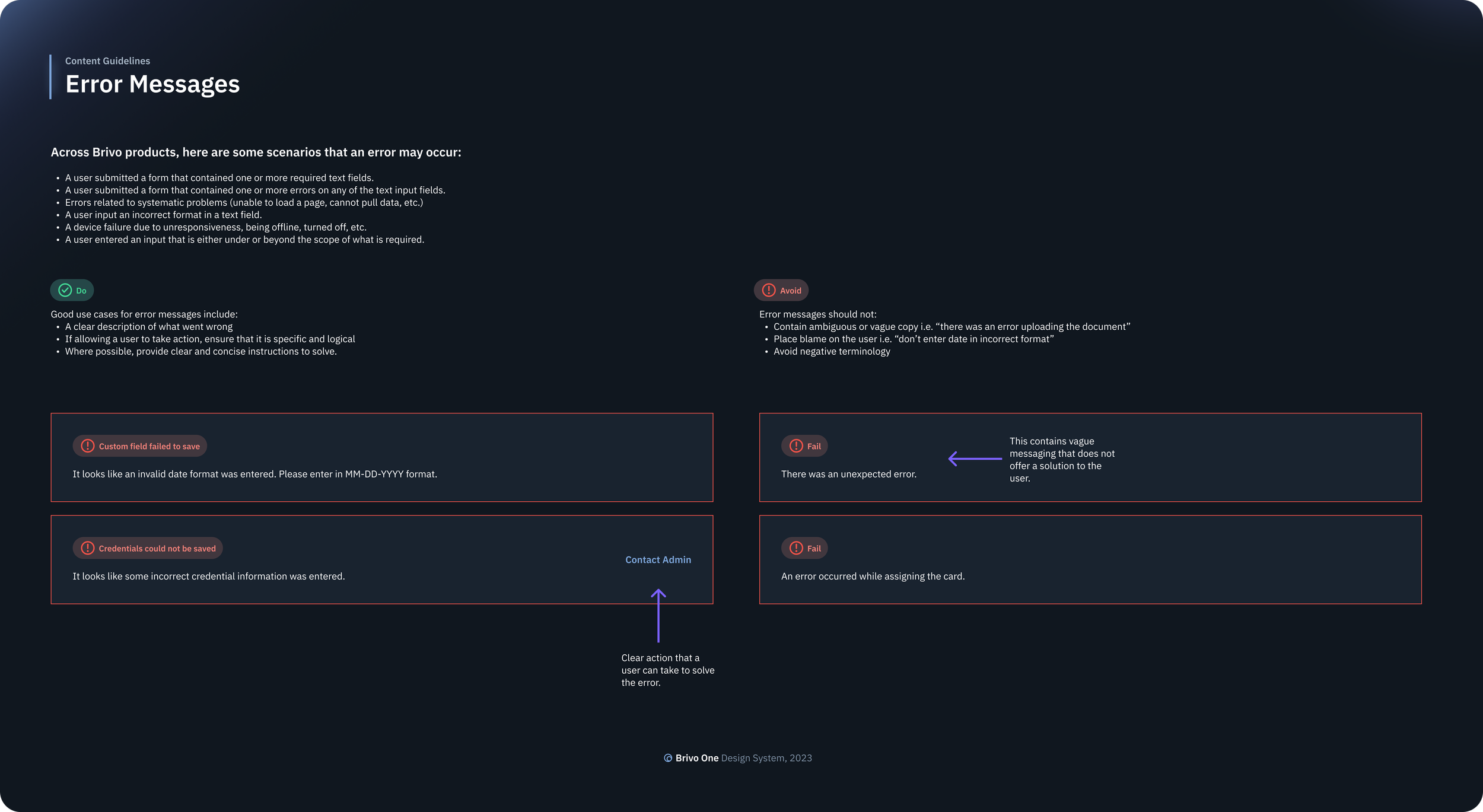
Additionally, a Google Sheets was created to store all messaging for reference with the following format:

A11y Audit (WCAG)
One of my very first exposures to accessibility in design was for Brivo One. I partnered with some team mates to do a product analysis and find instances where standards did not meet WCAG AA-level standards.
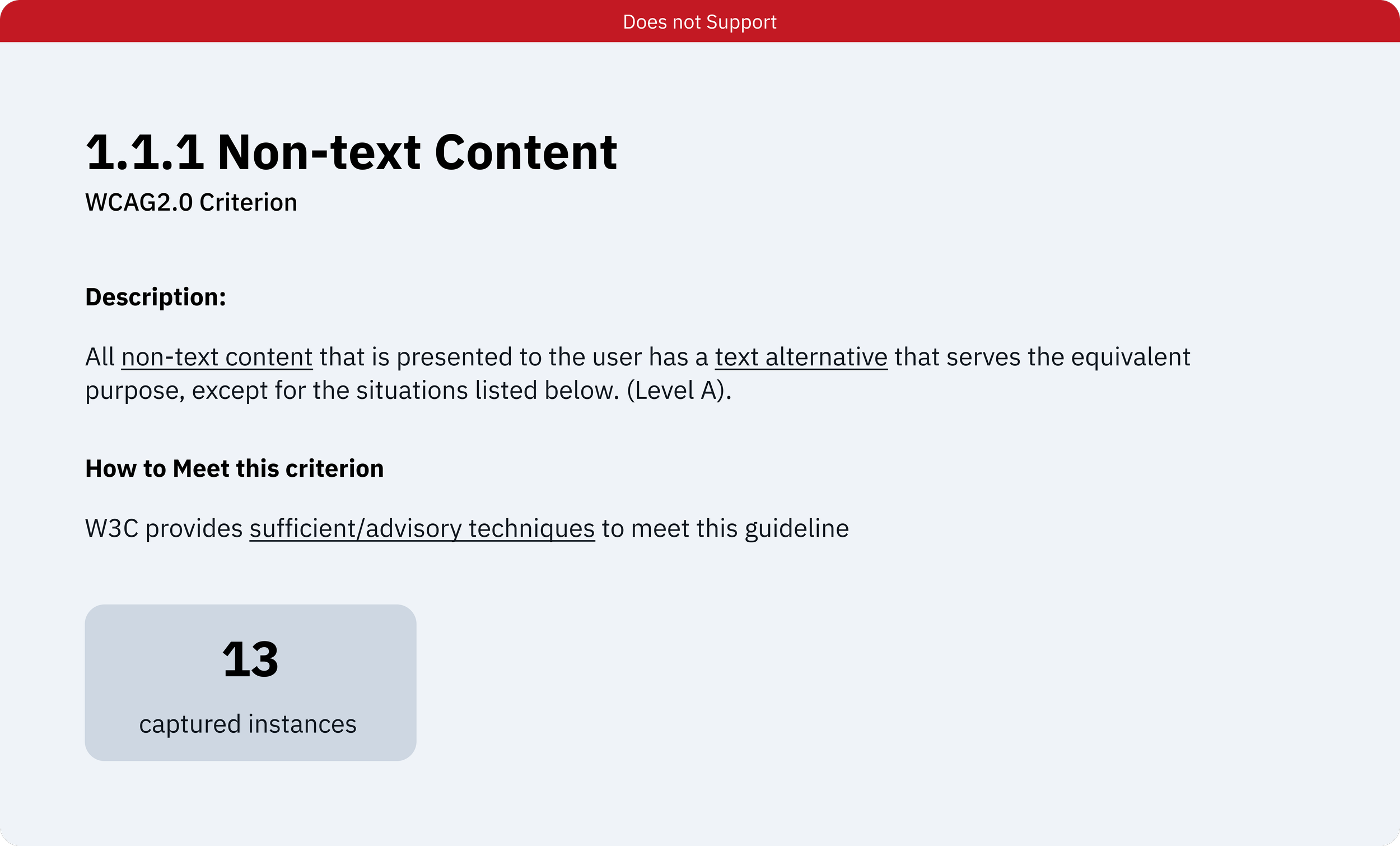
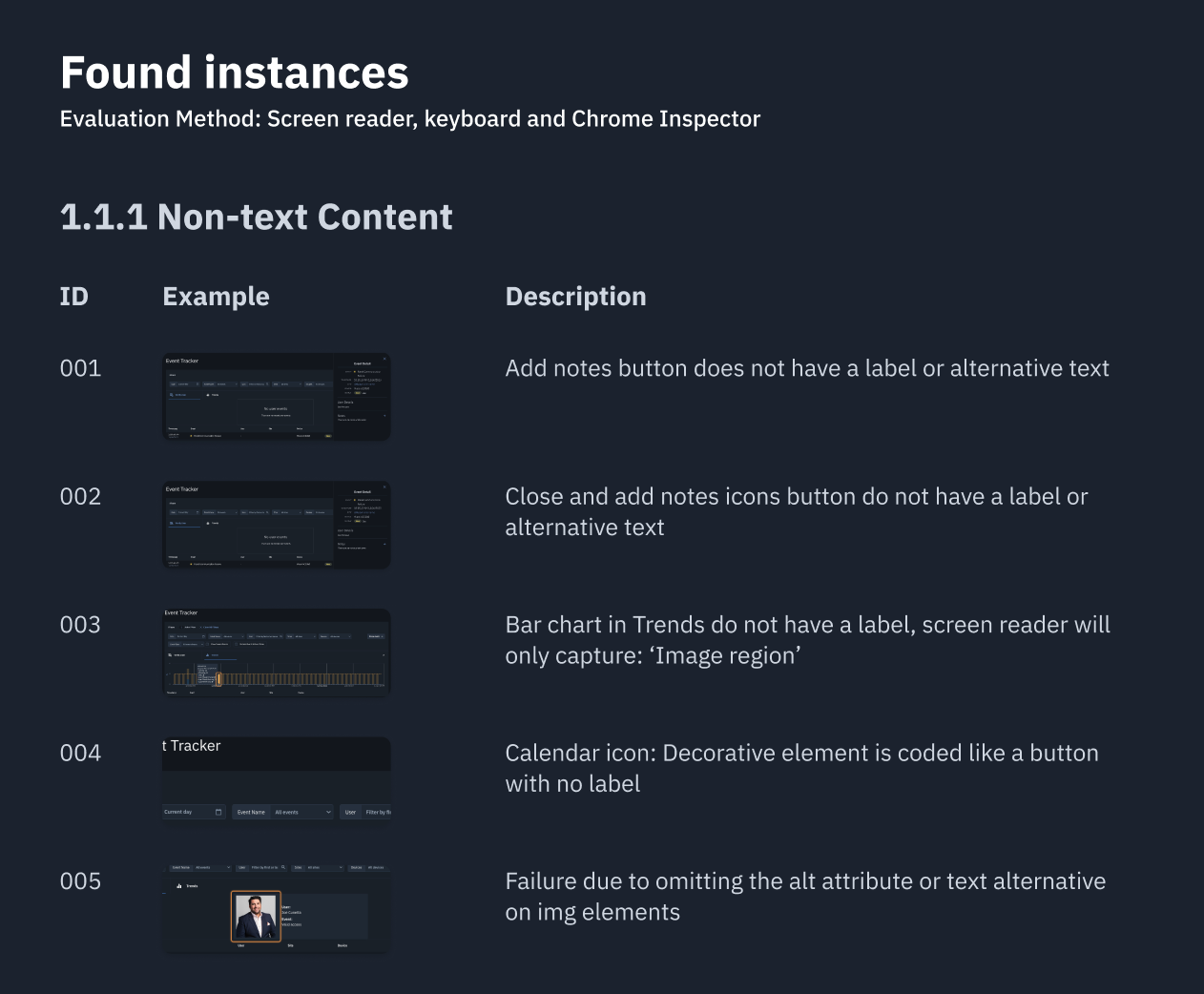
The work was divided by WCAG criteria, and in this case, non-text content was analyzed on Brivo Access to determine if alternative text was provided in cases of charts and icons.
All instances were captured and placed into a Figma file. From there, standards were built around specifically images and icons within Brivo Access and how to implement alternative text, working with engineering.